
Loop Dungeon Incremental Beginner Guide: First Runs
Begin with short dungeon attempts, use manual clicks alongside your warrior and spend the resulting resources on improvements in the skill tree. Both recorded demos show this opening leading toward a second hero and longer runs. The route below explains those demonstrated steps without presenting an untested universal shopping order.
Guide · Reviewed October 16, 2026 · 1,182 words
At a glance
The opening videos introduce one decision after another rather than a complete party immediately. Clicking, spending and adding a role are visible steps within that development. The table separates those first-session actions so a new player can recognize which part of the documented loop is currently on screen.
| Topic | Documented information |
|---|---|
| During a run | Player clicks supplement the warrior while automatic combat continues through the opening fights. |
| Between attempts | The creators return to the tree and spend resources on further development. |
| Party expansion | A ranged attacker joins before the later healing role in both recorded demos. |
On this page
Start with the opening combat loop
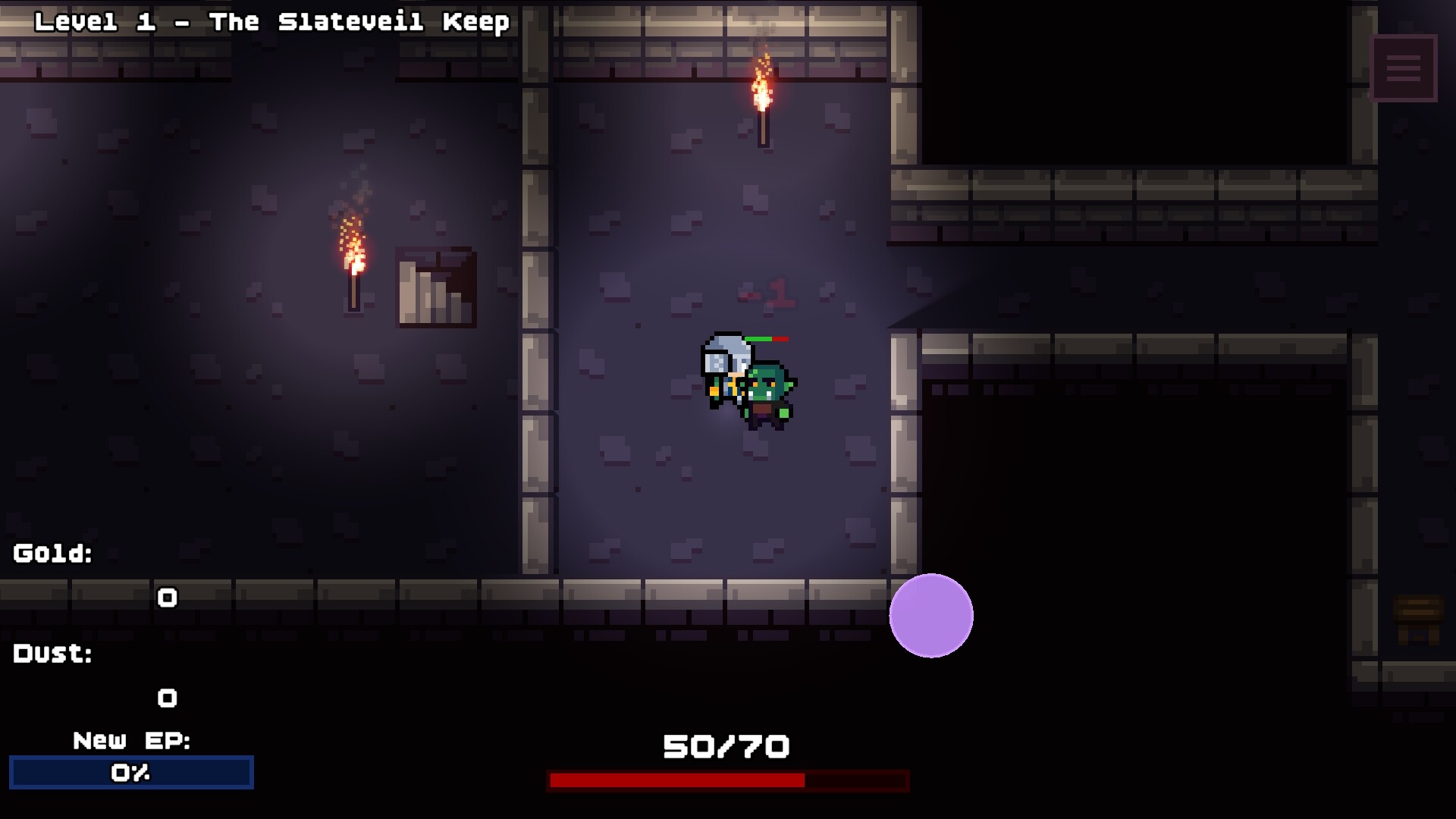
The earliest attempts in both videos begin with a warrior who cannot travel very far through the dungeon. Player clicks contribute additional damage while the hero attacks automatically, matching the official demo announcement's description. This means the first fight introduces two forms of damage at once, rather than an entirely passive system or a purely manual action game.
Rogue's recording moves through repeated early losses before attack and HP improvements allow a longer attempt. Idle cub also finds that helping with clicks changes the outcome of the first encounters. Those examples establish why a short run is useful at the beginning: it introduces the combat rhythm and creates the resources used when returning to the tree.
Notice why an attempt ends
The footage includes environmental HP loss as well as damage from enemies. Both creators discuss the pressure of losing health while trying to reach another room, so the party's ability to continue depends on more than defeating the first enemy. The official stage-selection screenshot also displays environmental damage information, giving that pressure a visible place in the interface.
This is important when reading an early defeat. A party can defeat ordinary enemies and still arrive at a later encounter in poor condition, as the videos repeatedly demonstrate. HP, defense, healing, travel and damage appear as connected parts of the recorded progression, rather than interchangeable labels for the same improvement or evidence that one purchase always solves every problem.
Return to the skill tree and read the labels
The skill tree is where the demo recordings turn resources into further progress. Early purchases affect click damage, party health and hero combat, while later branches reveal additional abilities and party options. The official screenshots corroborate that branching interface, including visible counters for Gold, Dust, EP and Prestige Pts alongside the tree.
Those counters should be read as different resources. The June update added currency-type information to node tooltips, making the displayed requirement part of the decision rather than something to guess from an icon. A screenshot showing a large resource balance does not reveal an unpurchased node's cost, and a maxed node does not display every earlier price paid to reach that state.
Understand collection and automation
Both recordings show gold collection and the appearance of magic dust during runs. The creators also encounter collection-related upgrades as the tree opens up, so pickup behavior changes as the party develops. This helps explain why the first minutes of a playthrough can require more attention than a later loop in the same recording.
The July patch adds an automatic reward-pickup skill and background running. A current official screenshot names Magnetism and describes collecting on-screen gold and items automatically. These are documented conveniences, but they should be understood in their own scope: reward collection is separate from the hero's attacks, and background running is not a published guarantee of progress while the application is closed.
Work toward another party member
Both creators unlock a ranged hero through the tree before assembling a party with a healer. Rogue identifies the archer option around the fifth minute, while Idle cub reaches the corresponding ranged character later in a longer recording. These different timings demonstrate the same broad unlock route without establishing a required time limit or a fixed first-session pace.
The healing hero also has a naming detail worth recognizing early. The official tooltip calls its unlock node Cleric and names the hero Priest, so those words can refer to different parts of the same unlock. The older videos associate that healer with prestige progression, while current promotional footage additionally labels Mage; the introductory demo party is not the entire promoted cast.
Treat the first boss as another learning point
Both English videos reach a dragon after ordinary dungeon encounters. Their attempts combine damage improvements with better survival, and both creators use the warrior's temporary combat ability around dangerous fights. The recordings establish a real progression obstacle, not a requirement to follow every purchase in the exact sequence shown by either creator.
The same sources also show why a new area can feel difficult immediately after a victory. Rogue tries the next area and returns to earlier farming when the harder run is less productive. That observed change is a useful part of the beginner experience: a boss clear opens a new context, while the existing party still has further development available through its previous loop.
Know the difference between prestige and save transfer
Prestige is an in-game reset with lasting benefits, and both recordings rebuild ordinary progression after using it. The developer revised the prestige information display in June, while the official store describes it as part of long-term growth. Ending an ordinary run, confirming prestige and moving a save into another game version are therefore three separate events.
For the last of those events, the newer developer announcement sets a Demo 0.9.0 boundary. Compatible saves can transfer fully once, while older demo progress receives a compensation choice instead of direct full migration. Playsect also hosts a browser demo on itch.io, but its existence alone does not establish that a browser save and a Steam save are interchangeable.
Read stage names in their own version
The official selection screenshot shows The Slateveil Keep, The Gloamstone Crypt and The Ember Bastion. It also displays environmental HP loss alongside stage entries, tying a destination to a visible gameplay condition. These are actual interface details that explain why choosing another area changes the context of a run, rather than merely changing its background art.
The older recordings use different stage wording in their commentary. Those names should remain attached to the footage rather than being combined with the screenshot labels into a guessed full progression map. For a beginner, the verified distinction is that the selected route has its own displayed conditions and the material spans more than one stage of development.
Recognize which next question you are answering
The opening experience introduces resources, heroes, combat and prestige over successive attempts. Each system answers a different player question, from contributing during the first fights to understanding why a reset changes the tree. Both recordings show those questions arriving gradually, rather than requiring an unexplained endgame build to make the first expedition useful.
The same distinction helps interpret an early obstacle. Reaching the next room, improving a resource loop and completing the first boss are different outcomes documented in the videos. Their relationship is the repeated growth described by the official store, while a promise to achieve all of them on a fixed schedule would go beyond the demonstrated opening route.
Sources
This article draws on the official descriptions, announcements, screenshots and recorded demo material below. Gameplay observations describe the demonstrations in those sources. Questions or corrections can be sent through the contact page.